The POS you actually own

Powerful POS. One lifetime payment.

Run your business with fast local billing, complete control of your data, free software updates, and no mandatory POS software subscription.

Works without internetFree software updatesYour data stays with youNo mandatory POS subscription
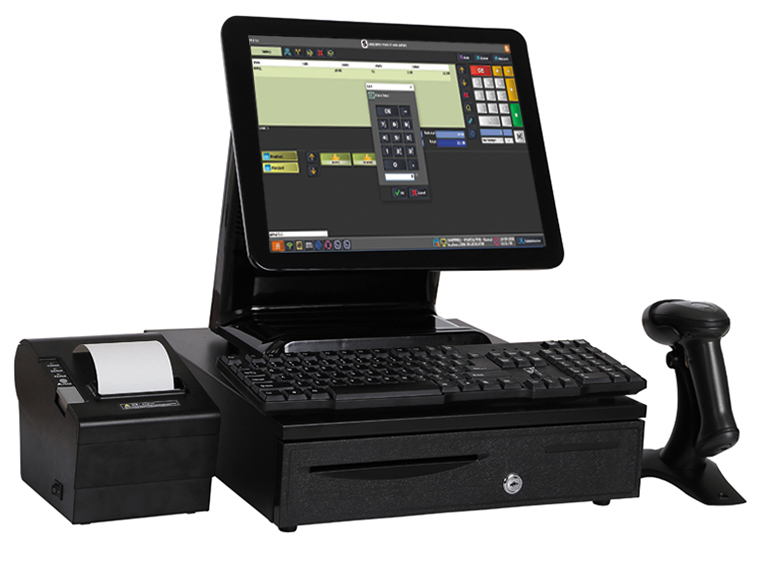
Saleculator POS terminal with printer, scanner, and cash drawer
Lifetimecore POS software license
30 daystrial in your actual business
Local-firstbilling keeps running locally
Connectedadd services only when needed

Lifetime ownership

Own your POS. Don't rent it.

Saleculator customers purchase the core POS software without being forced into a recurring POS software subscription. Continue using the core POS, receive future Saleculator software updates for free, and keep daily operations under your control.

  • One lifetime software license for the core POS
  • Free future Saleculator software updates
  • Local POS operations without internet dependency
  • Business data stays on your own system
  • Optional connected services when your business needs them
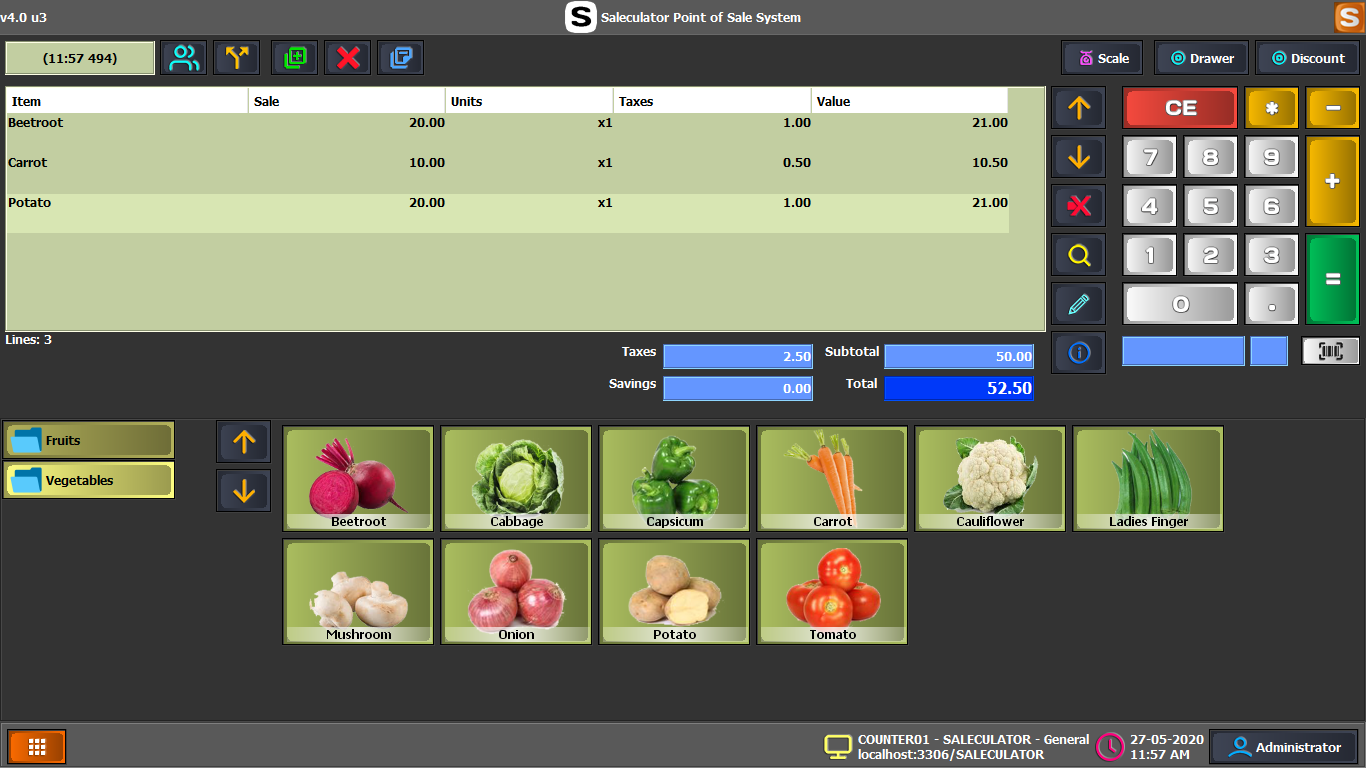
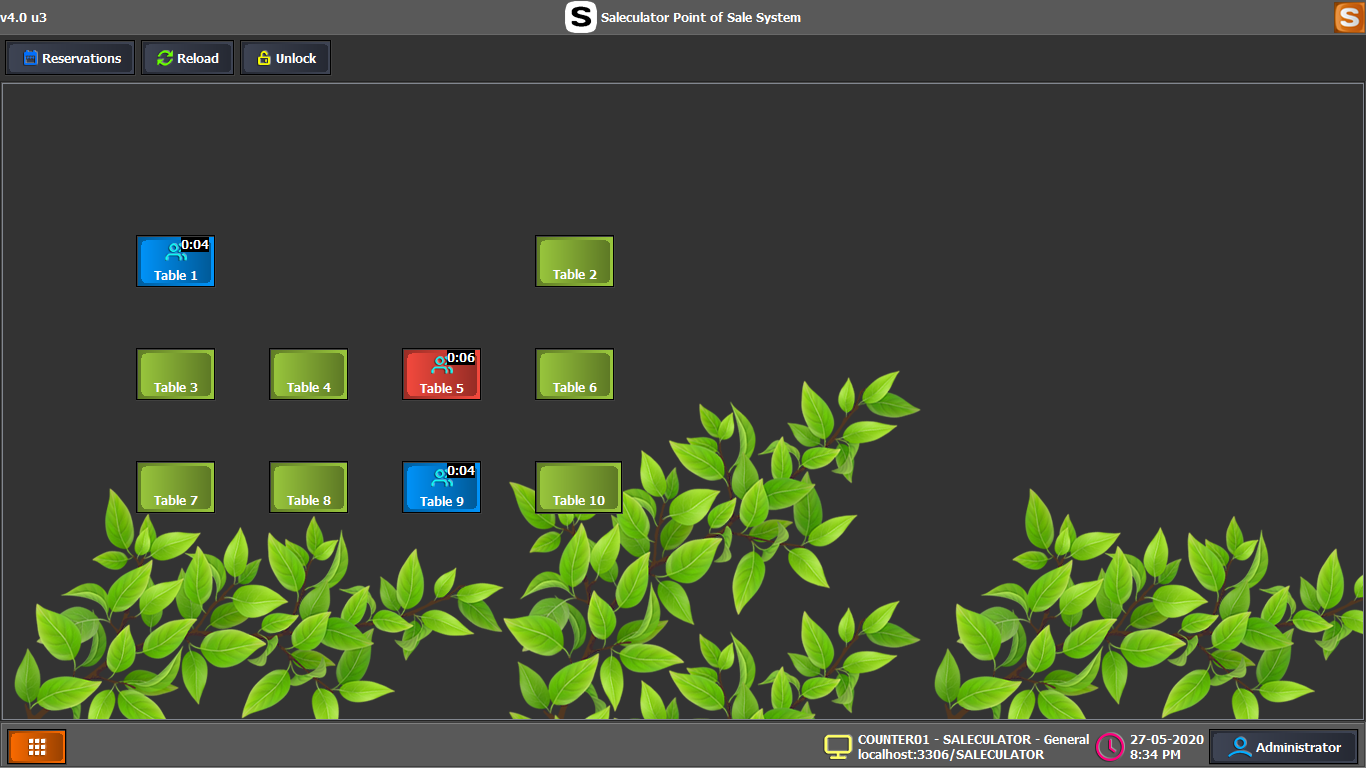
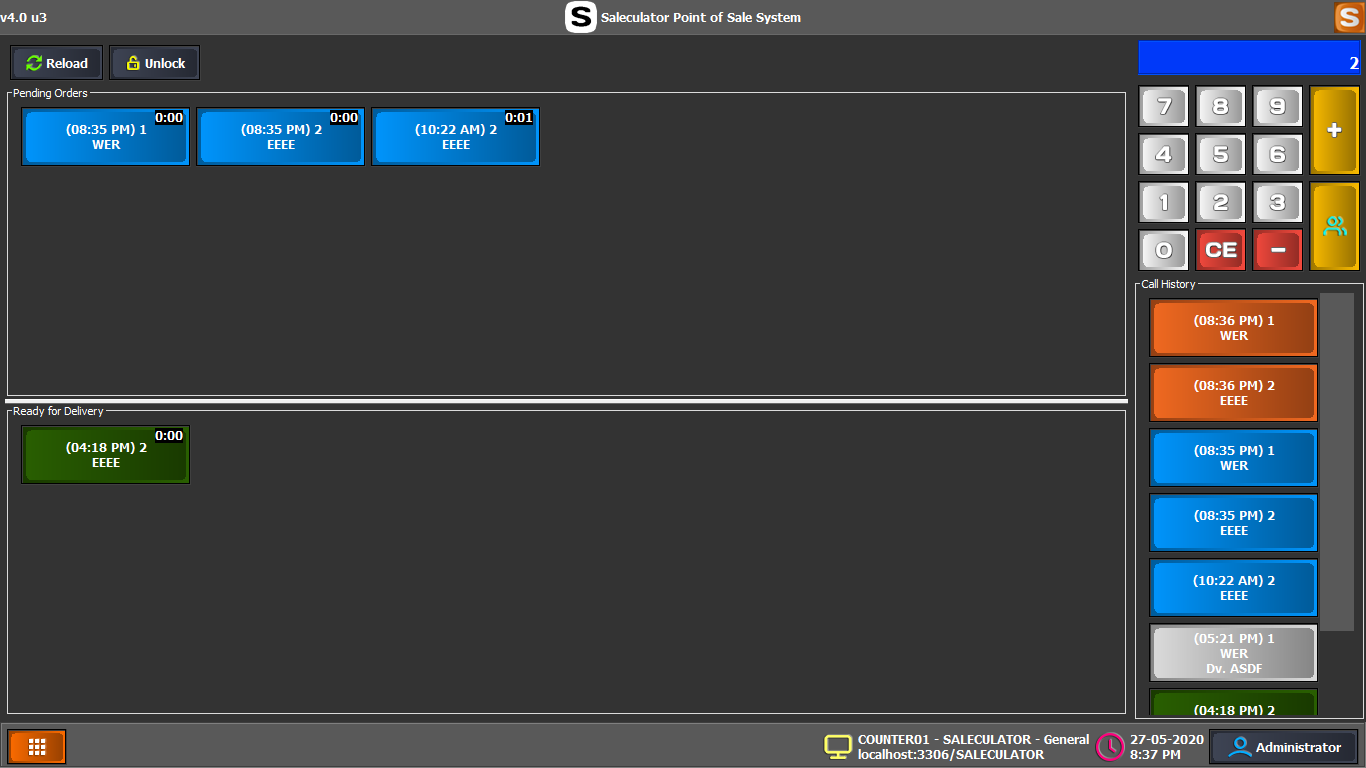
Saleculator retail billing screen Saleculator restaurant table screen Saleculator delivery billing screen

No forced subscription

Your POS shouldn't stop because you stopped paying a subscription.

Saleculator's core POS is designed around lifetime ownership. Use the software you bought, keep your shop data local, and choose connected add-ons separately when they make business sense.

Buy the POS once Keep core billing local Receive free software updates Add connected services when needed

Core POS capabilities

Everything busy counters need for billing software, inventory POS, and daily control.

Fast billing

Scan, bill, take payment, and print receipts from a cashier-friendly local POS screen.
Products and inventory

Manage product details, barcodes, purchase records, stock visibility, suppliers, and customers.

Reports and tax

Review daily sales, payment visibility, GST/VAT-ready invoice details, and practical owner reports.

Users and permissions

Create operators, assign roles, control access, and keep counter workflows understandable for staff.

Local-first. Connected when you choose.

Your billing speed shouldn't depend on your internet speed.

Core POS operations run on your local system, so checkout can continue even when connectivity is unreliable. Optional online functionality can still be connected when your business needs it.

Works without internet

Counter billing can continue locally when internet connectivity fails or slows down.

Fast local performance

Normal local billing avoids unnecessary cloud round-trips at the checkout counter.

Your data stays with you

Sales, products, customers, invoices, users, and settings remain in the customer's configured local database.

Built for rush hours

Designed for real checkout environments where scanning, billing, and receipt printing need to stay fast.

Core POS and connected services

Buy the POS once. Add connected services only when you need them.

Saleculator POS

Core local POS software

  • Billing, payments, barcode, and receipt printing
  • Product, inventory, purchase, supplier, and customer management
  • Reports, tax/GST workflows, users, roles, and permissions
  • Restaurant workflows, KOT/kitchen printing, multiple printers, and local network operation where configured
  • Backup and restore for customer-controlled shop data

Saleculator Connect

Optional connected services

  • Webin browser back-office and remote access where deployed
  • Dyn URL remote access for owners or support when configured
  • Online ordering, Yaadro, and WooCommerce order handling
  • WhatsApp-oriented communication workflows where enabled
  • API and support-led connected service rollouts when required

Long-term value

The longer you use Saleculator, the more value you get.

AreaSubscription POSSaleculator
Recurring POS software subscriptionCommonNot mandatory
Core software usageSubscription-dependent in many productsLifetime model
Software updatesDepends on provider/modelFree Saleculator updates
Core operations without internetVariesLocal-first
Data locationOften cloud-basedCustomer's local system
Connected servicesOften bundledOptional where applicable

Store formats

Retail, groceries, restaurants, delivery counters, and mixed operations.

30-day trial

Test Saleculator in your actual business.

Don't just test a demo. Install Saleculator, add your products, connect your printer, run your counter, then decide if the workflow fits.

Install Saleculator Add your products Connect your printer Run your counter Then decide

Videos

Watch Saleculator setup and POS walkthroughs.

Ready to own your POS?

Download Saleculator and run a real counter trial.

Use the Windows installer, complete shop setup, request the 30-day trial, and verify fast local billing with your products and receipt printer.

Download now