Billing and receipt printing
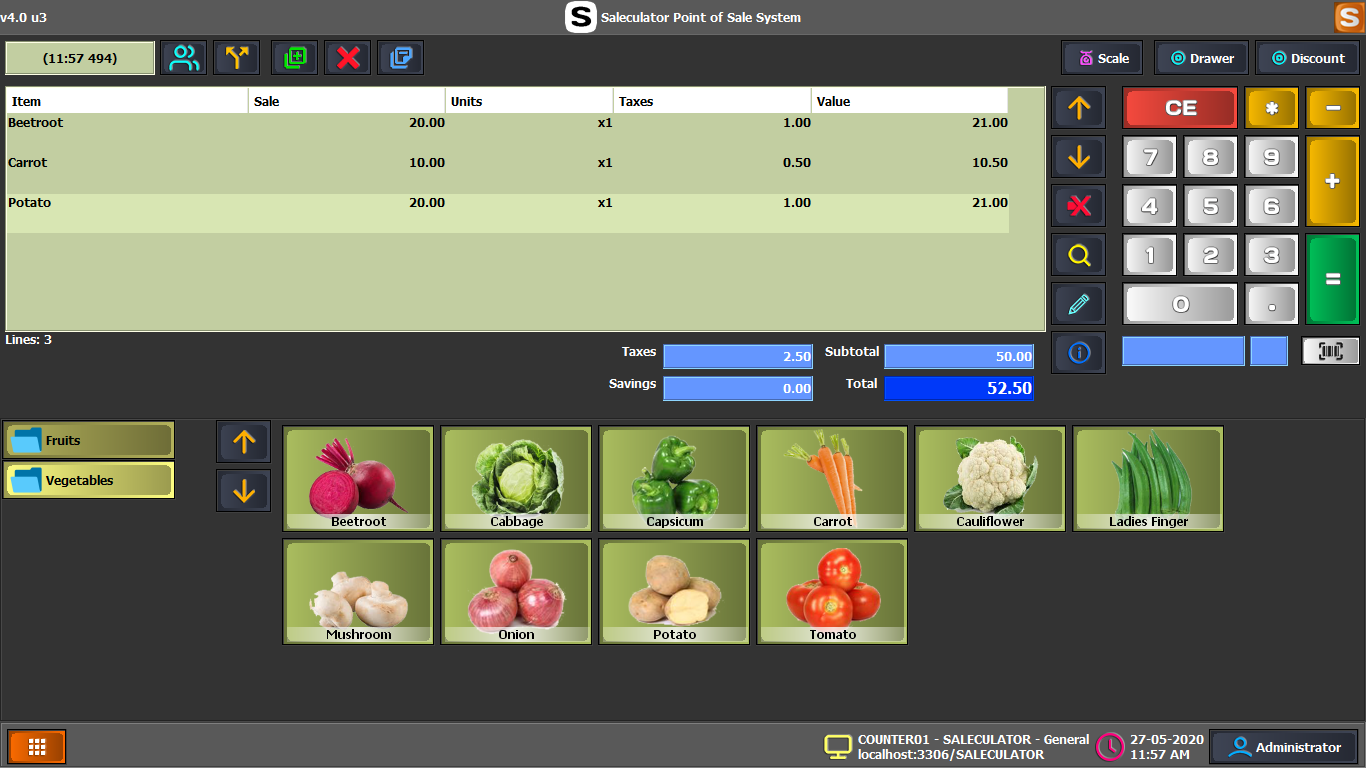
Scan, search, bill, take payment, preview or print receipts, and keep checkout moving at the counter.
 Start trial
Features
Saleculator is built for daily counter work: billing, receipts, products, stock, payments, customers, retail POS, restaurant POS, delivery, KOT, reports, tax/GST, local data control, and optional connected workflows such as Webin remote access, online ordering, WhatsApp communication, and integrations where deployed.
Saleculator POS
The core Saleculator POS covers normal shop billing and management without making daily counter work depend on a remote cloud server.
Scan, search, bill, take payment, preview or print receipts, and keep checkout moving at the counter.
Maintain product details, barcodes, stock, purchases, suppliers, customers, and everyday shop records.
Review sales, payment visibility, GST/VAT-ready invoice details, user activity, roles, permissions, and practical owner reports.
Run one billing counter or configure multiple local counters around the same shop setup where deployed.
Retail POS
For supermarkets, groceries, salons, laundries, pharmacies, textile shops, and everyday retail counters that need billing speed with business control.
Fast item lookup, barcode workflows, bill totals, discounts, payments, receipt print or preview, and cashier-friendly counter operation.
Scan standard barcodes and embedded barcodes carrying price, quantity, or weight from label scales.
Handle cash, card, customer debt, advance, vouchers, cheques, foreign currency, partial payments, and split payments.
Refund full or partial bills, exchange items, and keep inventory movement aligned with edited sales.
Create customers quickly, find them from phone or loyalty card, manage customer debt, and support reward-point workflows.
Inventory
Track products, stock movement, suppliers, reordering, and item availability without separating daily billing from inventory control.
Maintain item details, departments, prices, barcodes, stock visibility, purchase and sales records, and everyday product control.
Record purchase invoices, supplier payments, stock receiving, and supplier credit activity from the POS workflow.
Track reorder levels and move stock between stores, counters, warehouses, or locations when the business expands.
Mark restaurant or retail items as temporarily unavailable without deleting them from the catalog.
Disable discontinued products separately from temporary stock availability so catalog maintenance stays clear.
Restaurant POS
Support dine-in, takeaway, parcel, delivery, and app-assisted order taking with kitchen workflows built into the POS.
Support table service, KOT, kitchen routing, order changes, settlements, and restaurant/cafeteria billing needs.
Manage floor plans, open tables, table shifting, merging, settlement, and dine-in order progress.
Enable waiter or staff order-taking workflows where orders move from the floor to the kitchen and billing counter.
Route KOTs to preparation areas such as kitchen, juice counter, bakery, grill, or parcel counter.
Log cancelled kitchen items and make them available in custom POS reports for restaurant audit and control.
Support kitchen display style workflows so preparation teams can view and process orders without relying only on paper slips.
Delivery And Online Orders
Handle phone orders, online orders, driver assignment, status sync, and customer communication from the same POS environment.
Handle customer lookup, phone orders, delivery billing, dispatch coordination, and order history for delivery counters.
Support caller ID based customer lookup and phone-order handling for restaurants, delivery counters, and call-order businesses.
Assign drivers, track prepared and assigned delivery orders, and keep delivery counters moving during rush hours.
Receive, accept, reject, prepare, assign, complete, and cancel accepted online orders before billing when required.
Connect Yaadro or WooCommerce order sources so online orders can be handled inside the POS workflow.
Send order progress back to supported platforms for accepted, prepared, assigned, delivered, or rejected stages.
Print order preview, KOT, bill, or delivery slips at the exact order stage the business needs.
Use WhatsApp-oriented communication workflows for customer updates, order coordination, and support scenarios where enabled.
Reports And Control
Give owners and managers the controls they need for cash, reports, audit checks, and daily decision making.
Review daily sales, billing history, payment visibility, stock movement, and useful shop summaries for owner decisions.
Let cashiers count actual drawer cash without seeing expected system cash, helping owners control day-end differences.
Send close-cash and day-end report files to owners after closing so business visibility does not depend on the counter.
Create practical reports for sales, inventory, customers, suppliers, removed lines, cancelled KOT items, and local business needs.
Create the shop team structure the business needs, with cashier and operator access configured around the customer workflow.
Saleculator Connect
Connected workflows are separate from the local-first core POS. Use them when the business needs browser access, online ordering, customer communication, or integration-led rollout.
Use Saleculator Webin for browser-based back-office access, reports, and management workflows where deployed.
Give owners and support teams remote Webin access through a readable Saleculator Dyn URL when configured.
Receive and manage supported online orders inside the POS workflow when the shop enables that channel.
Use WhatsApp-oriented communication workflows for customer updates, order coordination, and support scenarios where enabled.
Connect supported order sources so connected orders can be handled inside the POS workflow.
Prepare integration-led rollouts with Saleculator support or partners when the business requires connected services.
Remote Access And Deployment
Saleculator is built as a local-first POS while still supporting Webin, remote access, multi-counter shops, and support-ready deployments.
Keep shop data under the business owner's control with local-first operation and backup planning.
Counter billing can continue locally when internet quality is poor, so the shop can keep serving customers.
Start with one POS machine and expand to multiple counters connected to the same shop setup when needed.
Use Saleculator Webin for browser-based back-office access, reports, and management workflows where deployed.
Give owners and support teams controlled remote Webin access through a readable Saleculator Dyn URL when configured.
Show clearer online, offline, or expired states for remote access instead of leaving support teams guessing.
Setup, Hardware And Compliance
Prepare the installation, devices, receipts, taxes, language, and deployment model around the customer environment.
Prepare business details, receipt footer, printer checks, barcode scanner use, cash drawer workflows, and counter device validation.
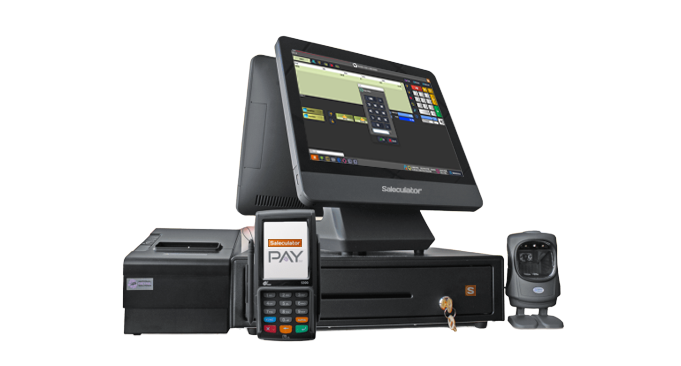
Use receipt printers, kitchen printers, A4 printers, barcode scanners, weighing scales, cash drawers, customer displays, and KDS devices.
Enter business name, tax details, receipt paper, and receipt footer without editing receipt XML by hand.
Deploy Saleculator on Windows counters, Linux machines, or Raspberry Pi/minimal Debian appliances.
Run setup checks and collect masked support information so technicians can resolve installation issues faster.
Prepare Saleculator for multilingual teams and let each user work in the language that fits them best.
Support regional tax invoice formats, QR/e-invoice workflows, customer tax IDs, and compliance-oriented rollout planning.
Set billing mode, counter flow, order handling, receipt details, tax settings, devices, and user roles around the business.
Restaurant operations
Restaurants need more than a billing screen. Saleculator supports dine-in, parcel, delivery, online order, and app-assisted order-taking workflows with KOT routing, kitchen display readiness, out-of-stock control, cancellation tracking, and flexible settlement behavior.
Operations and integrations
Every shop does not run the same way. Saleculator can be set up for counter retail, restaurants, delivery counters, online order handling, phone orders, WhatsApp communication, Webin remote access, hardware workflows, and integration-led rollouts.
Compliance-ready POS
Saleculator can be prepared for country-specific invoicing workflows such as GST in India, ZATCA in Saudi Arabia, UAE eInvoice/VAT needs, and other regional tax invoice formats. Exact activation, certification, and filing requirements depend on the customer country and rollout scope.
Feature focus
Saleculator prioritizes the work that must happen inside the shop: billing customers, printing receipts, handling products, closing cash, serving restaurants, and keeping the business running even when connectivity is unreliable. Connected workflows can be added where they fit the business.
Product visuals
 Features
Everyday POS workflows for barcode-heavy and cashier-led billing.
 Setup
SetupUse Saleculator on one billing counter or prepare a shop network.
Try the full POS
Run the 30-day trial with your products, printers, staff flow, and daily billing needs before buying.