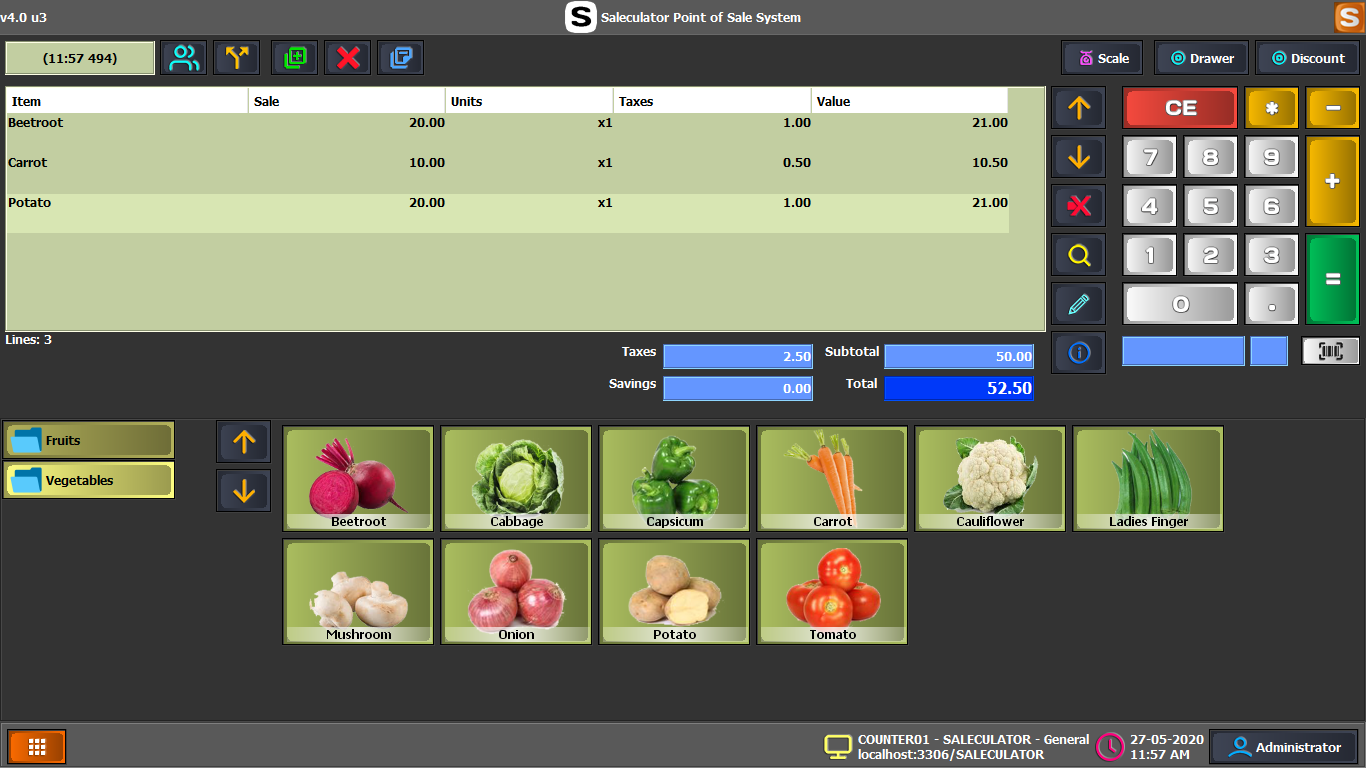
See the counter workflow
Try your own products, scanner and receipt printer. Confirm billing and reports fit your shop before committing.
 Start trial
Retail billing software for Windows
Use Saleculator for barcode billing, receipts, inventory and daily reports. Keep your shop database locally, with SQLite for one counter or MySQL for shared counters.
POS: ₹14,900 / US$290 per device, one time. Start with a 30-day trial and check your shop's workflow before purchasing.
Software licence only. Confirm applicable taxes, hardware, installation, training and support charges before ordering. No card required to request a trial.
Try your own products, scanner and receipt printer. Confirm billing and reports fit your shop before committing.
Find products by barcode, adjust quantities, collect payment and print a receipt. Test discounts and returns during your trial.
Manage products and stock in POS, then use daily reports to review trading activity.
A single Windows POS can use bundled SQLite without a database server. Multiple counters can connect to a MySQL database prepared for your shop. MySQL setup is separate.
Core billing uses your configured local database. Trial requests, activation, purchases and connected services need internet access. Back up your database regularly.
No. POS is the full shop application. PDA is an optional sales-only companion with a separate licence: ₹5,960 / US$116 per device. POS prepares its database and manages products. PDA connects to that prepared database.
You can configure either database. Changing the connection does not transfer your existing data. Plan and test data migration before switching a working shop.
Compatibility depends on the printer and Windows driver. Test a real receipt during the trial; contact support with the model before buying new hardware.
Contact Saleculator to discuss installation, training and support. Agree the scope and any service charges in advance.