Prepare the machine
Install Java 17 and MySQL, then create a dedicated Saleculator folder under the operator or vendor-managed account.
 Start trial
Install guide
Use the runtime ZIP for Debian and other Linux deployments. The same Saleculator build is used on Windows, Linux, and Raspberry Pi hardware.
Install Java 17 and MySQL, then create a dedicated Saleculator folder under the operator or vendor-managed account.
Extract the latest Saleculator package and keep the bundled files together.
Use the bundled preflight script to confirm Java, MySQL connectivity, file permissions, and expected POS peripherals.
Launch the Linux start script, complete First Run Setup, activate trial or license, then configure autostart if the machine is a dedicated POS.
Checklist
Product visuals
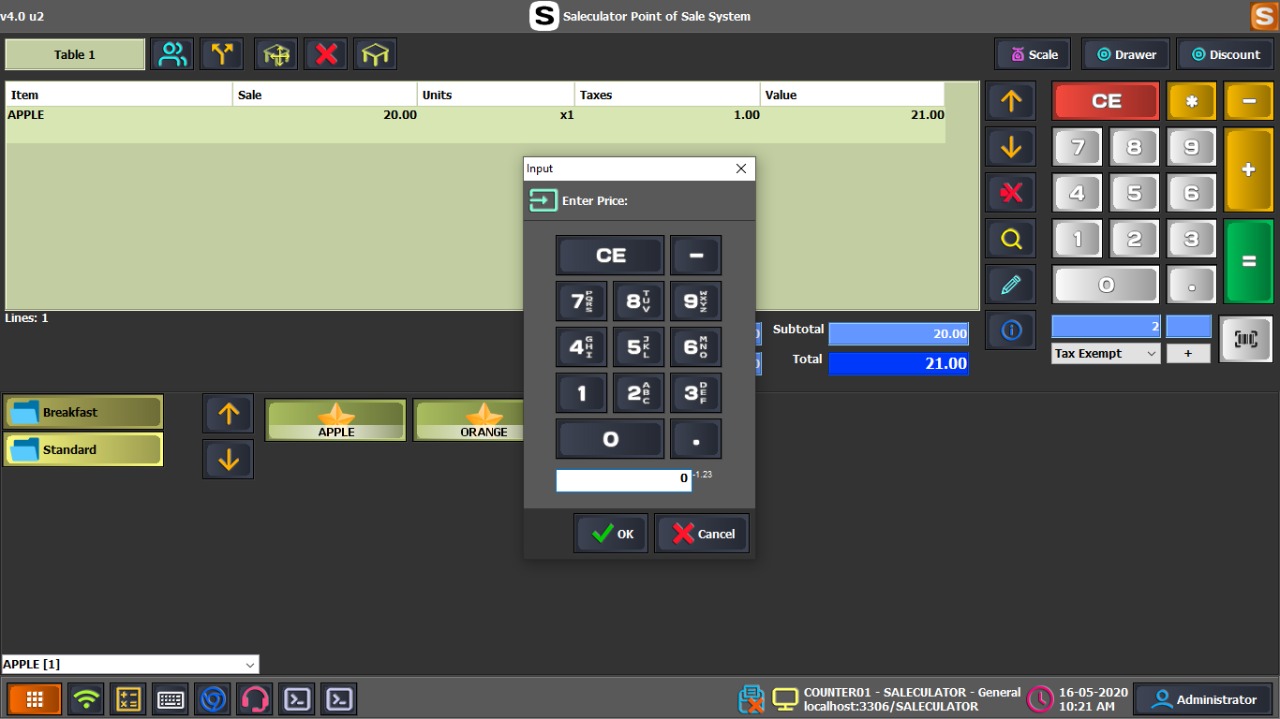 Screenshot
Show the business profile, counter mode, receipt details, and activation flow for this setup path.
Screenshot or videoShow the successful PIN login screen, test sale, receipt preview or print, and backup confirmation.
Using an AI agent?
If you use an AI assistant or technician to set up Saleculator, give it this prompt so it follows the customer install flow and does not skip trial, receipt, device, and backup checks.
Help me install Saleculator POS on this computer for a real shop counter.

Goals:
- Download the latest Saleculator Windows installer from https://saleculator.com/downloads/
- Install Saleculator using the normal customer setup flow.
- Complete business setup with my shop name, address, tax details, receipt footer, and counter mode.
- Start Saleculator and use START TRIAL on the activation screen to request the 30-day trial.
- Confirm I can reach the PIN login screen after activation.
- Add a few sample products and run one test sale.
- Test receipt print or receipt preview.
- Confirm reports open correctly.
- Confirm backup or support information is ready before live billing.

Important rules:
- Do not enter or expose passwords, serial keys, database passwords, or private business data in chat.
- Do not delete existing POS data unless I explicitly approve it.
- Do not change tax, GST, VAT, ZATCA, UAE eInvoice, or invoice settings without asking me first.
- If this is a network POS setup, ask whether this machine is the main POS or a client counter before changing settings.
- Stop and ask me before making destructive changes or uninstalling any existing POS software.
Guided setup support
Saleculator can be evaluated by a shop owner, installed by a reseller, or prepared by a hardware vendor. Start with the right business type, confirm the counter devices, complete the trial activation, and test one full billing flow before go-live.
Download the Windows installer, enter business and receipt details during setup, start the 30-day trial, then test billing, receipt printing, reports, and backup with sample products.
Prepare the customer profile, device list, receipt format, tax settings, users, and backup plan before handover. Confirm the customer can complete daily billing without depending on the installer.
Use the vendor package for controlled rollouts on POS devices, Linux, and Raspberry Pi class hardware. Validate display, printer, scanner, cash drawer, network, reboot, and recovery behavior before delivery.
Use a reliable central database machine and connect every counter to the same shop database so products, sales, and reports stay consistent across counters.